Lara AI’s avatar in Microsoft Teams can be customised: you can change both its name and image.
IMPORTANT: This configuration must be completed by an administrator of your company’s Microsoft Teams account.
- In the Teams admin centre, use the left-hand menu to go to Teams apps → Manage apps. https://admin.teams.microsoft.com/policies/manage-apps
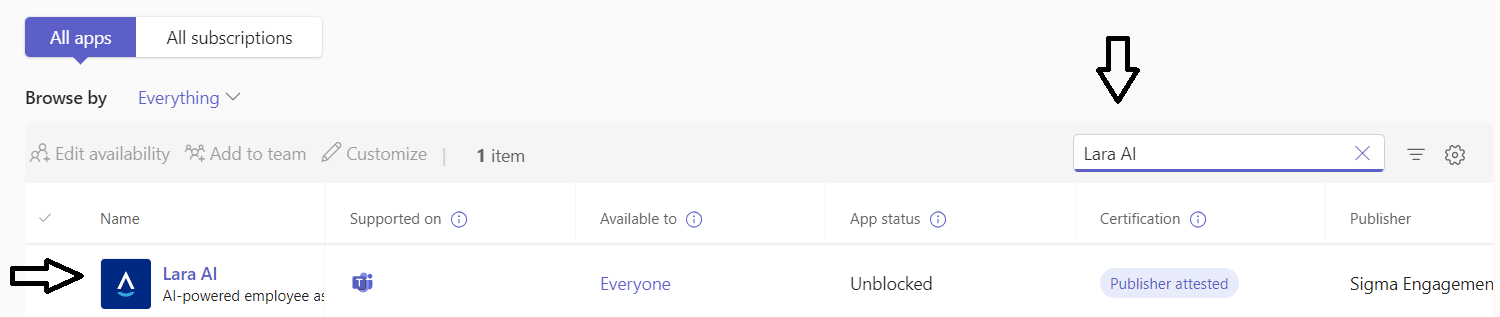
- Search for the Lara AI app in the app search bar:
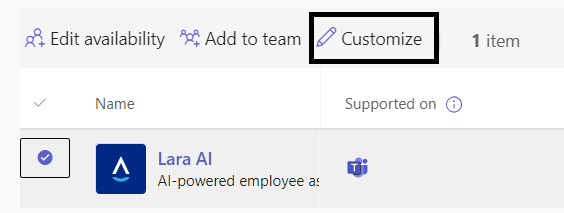
- Select it and click Customise:
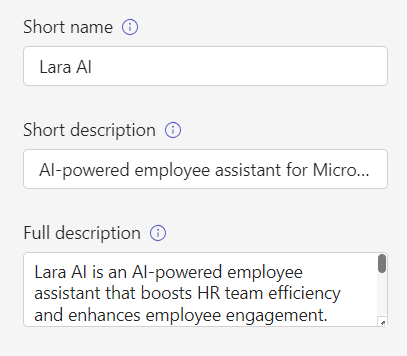
- Here you can customise the name that will be shown to employees, the app description, and the app image (you’ll need to upload an image file of your choice).
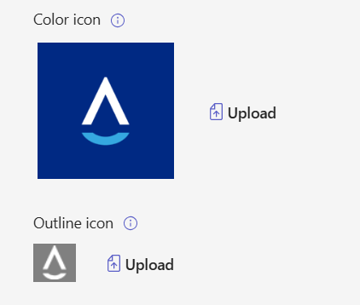
You must upload two icons:
- IMAGE 1: Color icon
The color version of the icon is displayed in most Teams scenarios and should be 192x192 pixels in size. The icon symbol (96x96 pixels) can be any color, but must be on a solid square or completely transparent background.
Teams automatically crops the icon to display a square with rounded corners in several scenarios and a hexagonal shape in bot scenarios. To crop the symbol without losing any detail, you should include 48 pixels of margin around the symbol.
png format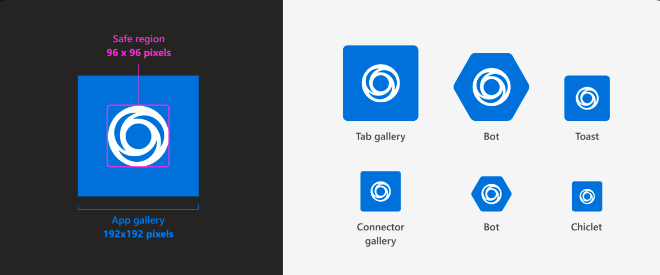
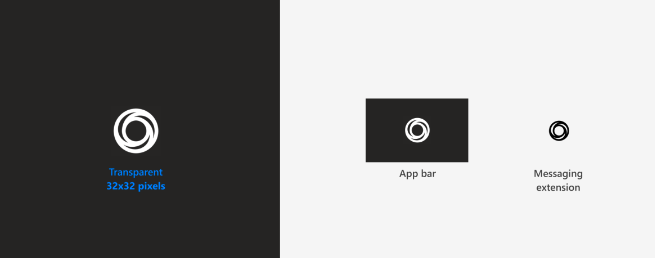
- IMAGE 2: Outline icon
The icon must have a size of 32x32 pixels. It has to be a white icon with a transparent background (no other colors allowed). The outline icon should not have any additional margin around the symbol.
png format
5. Finally, select Apply — and you’re all set!
IMPORTANT: Changes to Teams apps can take up to 24 hours to take effect.
If you have any questions or inconveniences, please contact us via email at support@meetlara.ai.
¿Le fue útil este artículo?
¡Qué bueno!
Gracias por sus comentarios
¡Sentimos mucho no haber sido de ayuda!
Gracias por sus comentarios
Comentarios enviados
Agradecemos su iniciativa, e intentaremos corregir el artículo